Large Language Model (LLM)-driven grounding methodology with Google Cloud Platform (GCP)
Grounding Case Study with PaLM 2 Text Bison & Vertex AI search

Grounding - Executive Summary
Grounding stands out by creating a dynamic link between models and external data, ensuring real-time adaptability and reducing inaccuracies. This strategy is emphasized in the project documentation to enhance the precision and reliability of language models, especially through the integration of Vertex AI Search and Conversation.
The grounding strategy focuses on text-bison and chat-bison models, anchoring generated content in designated data stores within Vertex AI Search. This approach mitigates model hallucinations, secures anchored responses, and increases the credibility of the generated content.
Grounding transforms AI models, making them more focused, accurate, and efficient by reducing hallucinations, anchoring responses, and enhancing trustworthiness. Grounded models differ from non-grounded ones in data dependence, response accuracy, and adaptability.
Implementing grounding involves activating Vertex AI Search, creating a data store, and grounding the model using the API. Regular monitoring and iteration to enhance grounding, and ensure compliance with data use terms and security standards are vital considerations.
In conclusion, integrating grounding in Vertex AI highlights the commitment to delivering accurate, relevant, and trustworthy content. The documentation serves as a comprehensive guide for implementing, monitoring, and optimizing grounding features, aligning with the broader goal of providing high-quality, reliable, and innovative solutions in the dynamic world of generative AI projects.
Steps for Crafting Grounding:
- 1. Define Data Source: Initiate this process by defining a data source in Vertex AI Search.
- 2. Data Source ID: Obtain the unique data source ID, an essential element for the grounding process.
- 3. Enable API: Ensure that the necessary API is enabled, facilitating grounding functionality.
Utilizing Vertex AI Search App to Ground Model Responses:
Vertex AI Search and Conversation lets developers tap into the power of Google’s foundation models, search expertise, and conversational AI technologies to create enterprise grade generative AI applications.
2. Chat – this service is empowered with chatbots and apps (search apps) to have a dialog flow with the end user.
- Website URLs
- BigQuery table
- Cloud Storage (Cloud Buckets)
- API – calling an API to import the data manually.
Grounding ‘text-bison’ to website URLs
Creating Search application
- 1. Navigate to Search & Conversation through the console search bar.
- 2. Agree to the conditions and activate the service.
- 3. Create an app for the service to be accessed.
- 4. Select the search type (here the aim is to search from the websites).
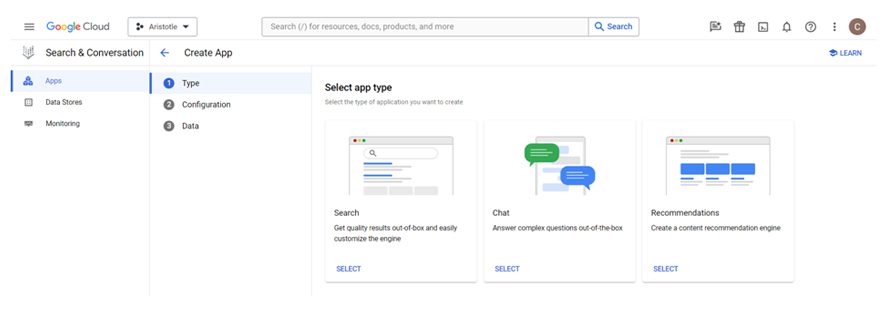
- 5. Fill in the required credentials and create the app.
- 6. Create a new data store.
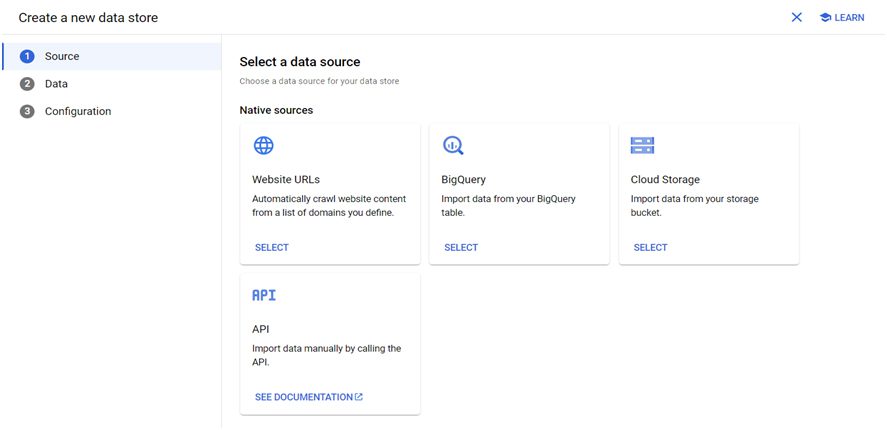
- 7. Select the Website URL data store, and fill in the website URLs to be searched and the URLs to be excluded.
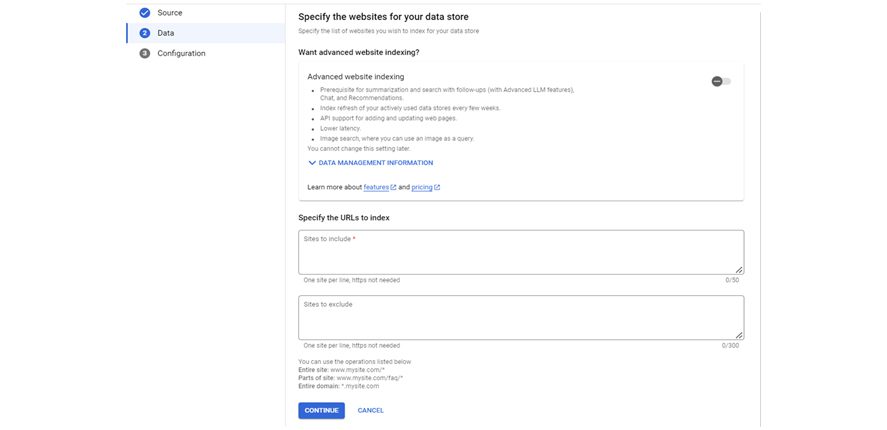
- 8. Give a name and create the data store.
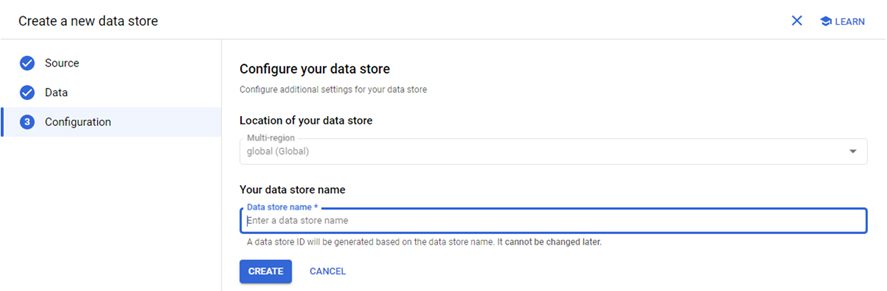
- 9. Now select the created data source and complete the app creation.
Pointing data store to the model
- 1. Navigate to the model garden in Vertex AI and select the ‘PaLM 2 Text Bison’ model.
- 2. Enable the API and select ‘OPEN PROMPT DESIGN’.
- 3. Select any of the text bison models with a grounding option in the rightmost column of the page.
- 4. Drop down the Advanced menu and enable grounding.

- 5. Customize the grounding option to set the path to the data store.
Get the data store ID from the created search application.