Introducing the Multifile PCF Control for Power Apps: Upload, Preview, Download & Manage Files with Ease
Managing file attachments just got easier! We’re excited to introduce the Multifile PCF Control — a powerful custom control built for Power Apps that allows users to upload, preview, download, and delete multiple file types seamlessly within a form. Whether you’re dealing with images, PDFs, Excel files, or Word documents, this control ensures that file management is both efficient and user-friendly.
Key Features at a Glance
Upload Multiple Files – Select and upload multiple files in one go.
File Preview Support – Instantly preview images, PDFs, Excel sheets, and documents.
Download Files – Download each uploaded file individually.
Delete with Control – Remove files selectively (delete option activates after the record is saved).
Supported Formats – Works with all common file types like .jpg, .png, .pdf, .xlsx, .docx, and more.
Dataverse Integration – Fully integrated with Microsoft Dataverse for seamless data operations.
Notes Entity Storage – Files are stored directly in the Dynamics 365 Notes entity.
Installation Steps
Follow these simple steps to install and start using the Multifile PCF Control in your environment:
1. Download the Solution
o Get the latest managed solution: UPLOADER_Managed.zip.
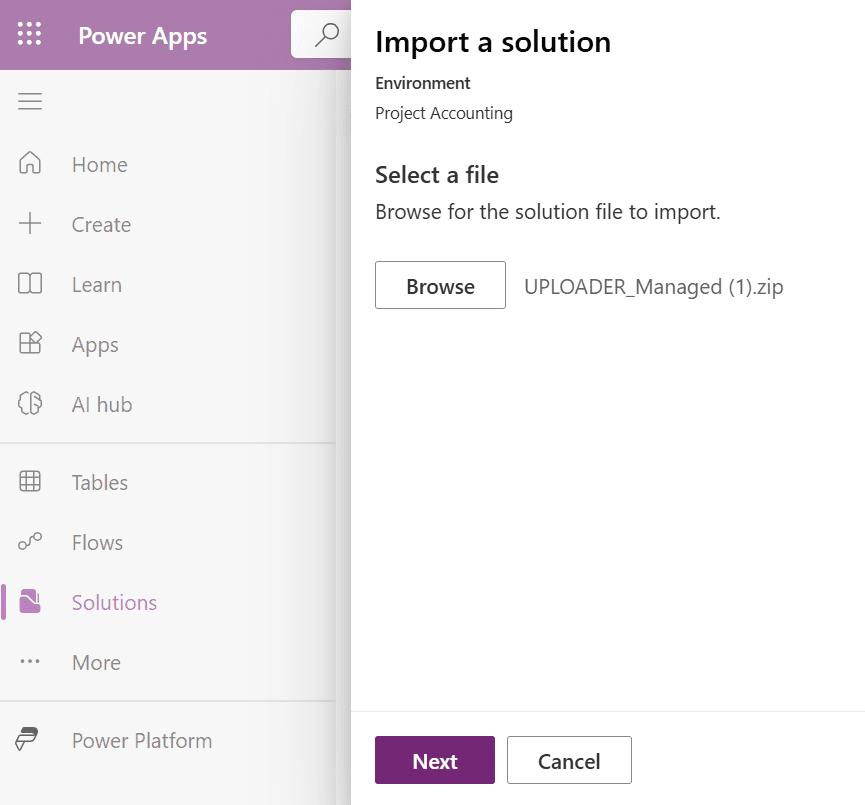
2. Import the Solution
Go to Power Apps > Solutions > Click Import solution.
Upload and import the ZIP file.
3. Publish Customizations
Once imported, click Publish All Customizations to apply changes.
4. Add the Control to Your Form
Navigate to the desired entity.
Ensure “Enable attachments (including notes and files)” is turned on.
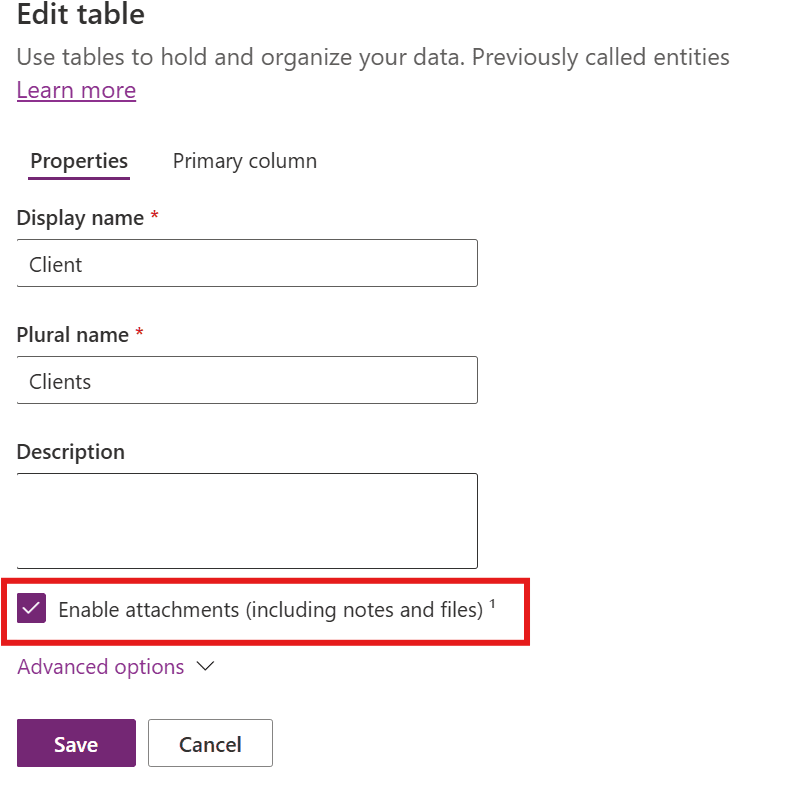
Go to Form > Add Tab and Section > Insert Field.
Select the field and click Change Properties.
In the Controls tab, click Add Control and choose Multifile Control.
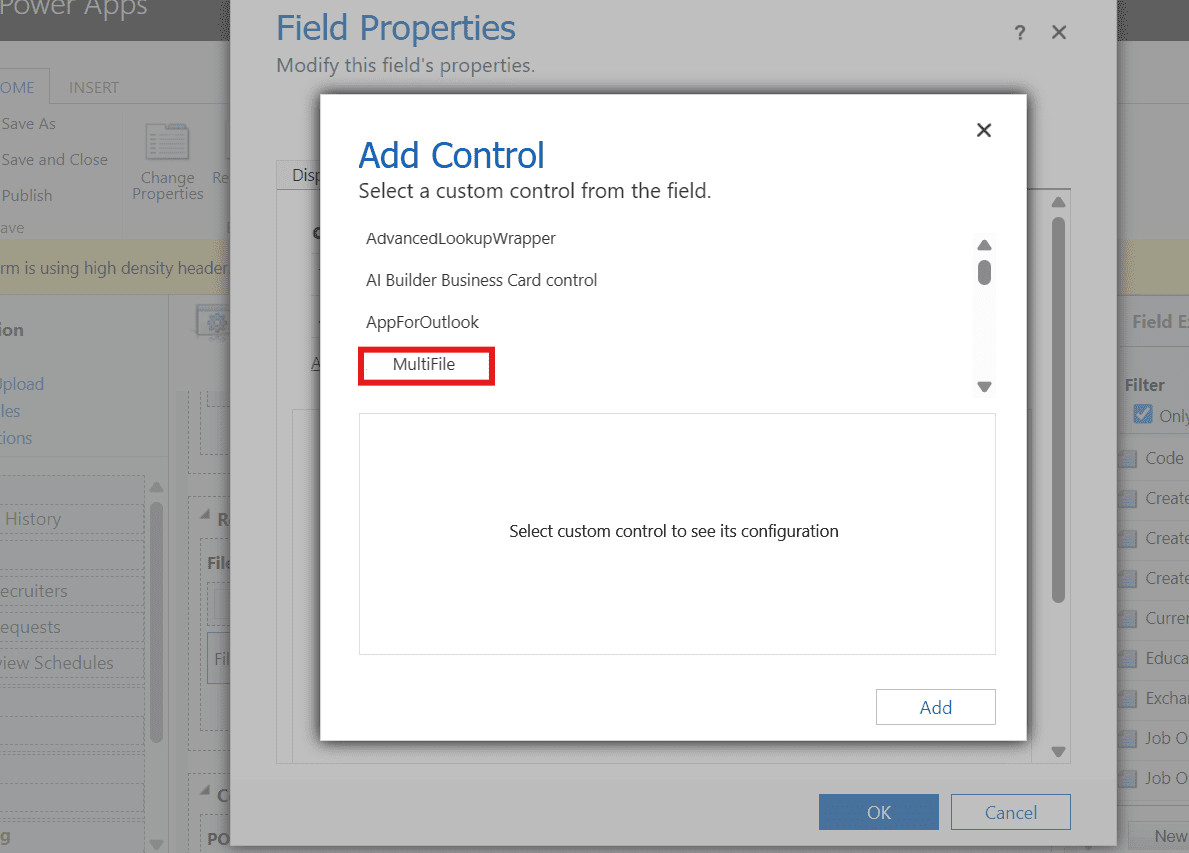
Click Add, then Save and Publish.
How to Use It
Using the Multifile Control is straightforward:
1. Click the Choose Files button to select one or more files.
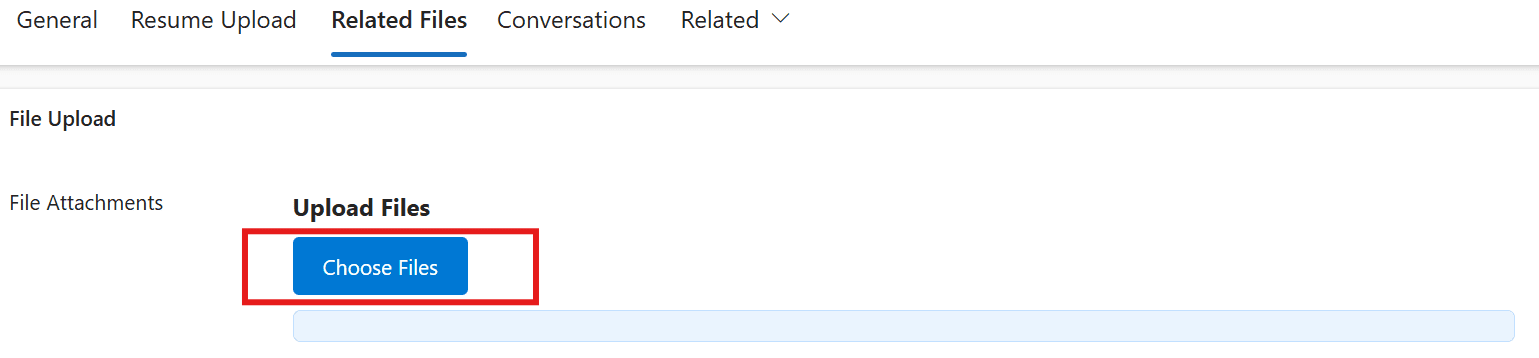
2. Uploaded files appear below with:
Preview (for supported types)
Download link
Delete icon (enabled post-save)
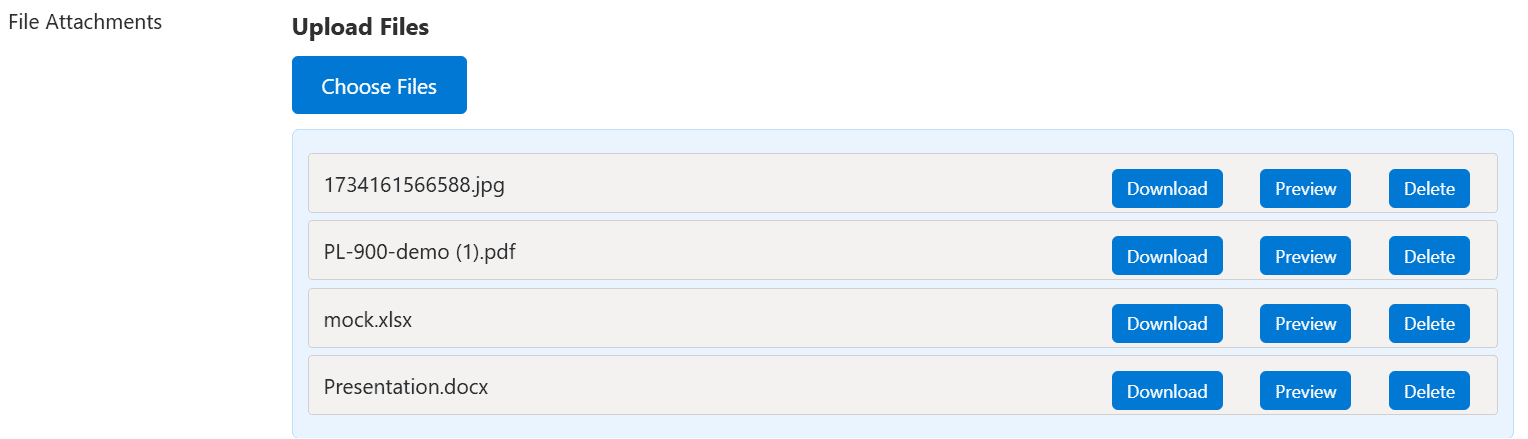
This intuitive layout makes managing multiple attachments effortless.
Under the Hood: Tech Stack
The Multifile PCF Control is built using a modern web development stack to ensure performance and usability:
TypeScript – Handles the core logic including upload, preview, download, and delete functionalities.
HTML – Structures the control’s interface for consistency and clarity.
CSS – Brings in clean, responsive design aesthetics for an optimal user experience.
Final Thoughts
The Multifile PCF Control empowers organizations to streamline document handling directly within Power Apps. Its seamless integration with Dataverse and support for multiple file formats make it a valuable addition to any form that requires document management capabilities.